Migrating from Legacy Databases to the Cloud: A Step-by-Step Playbook
Cloud migration is one of the most impactful but risky projects a data team can undertake. Done right, it unlocks massive scalability and cost savings. Done wrong, it creates months of chaos. Here’s the playbook we follow.
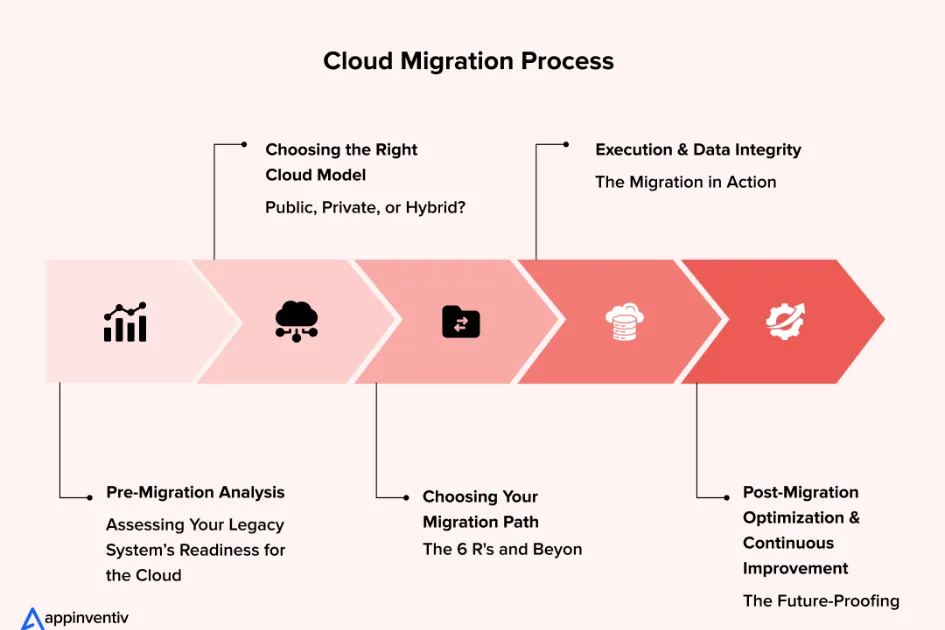
Phase 1: Assessment
Catalog every database, its size, dependencies, access patterns, and owners. Identify which workloads are migration candidates and which need refactoring. Not everything should move to the cloud at once.
Phase 2: Parallel Running
Set up the cloud target and run both systems in parallel. Use change data capture (CDC) tools like Debezium to keep them synchronized. This lets you validate the cloud setup without risking production.
Phase 3: Cutover
Once the cloud system matches the legacy system’s output exactly, redirect applications one at a time. Keep the legacy system running in read-only mode as a safety net for at least two weeks.
Phase 4: Optimization
Post-migration, optimize for cloud-native patterns. Convert batch jobs to streaming where appropriate. Implement auto-scaling. Refactor storage tiers to minimize costs.
The biggest mistake teams make is treating migration as a lift-and-shift. The cloud offers fundamentally different capabilities — take advantage of them.